Free weekly live calls on growing your TikTok Shop, in our Discord. Join the community

The editor for TikTok Shop and UGC creators

Shoot it raw. Post it hard.

Drop in a raw take. Hardpost cuts the dead air, the ums and the takes you abandoned on the exact frame, with no quality loss. Captions, sound effects, voiceover, hooks and what's selling on TikTok Shop sit right next to your timeline.

7 days of Pro free, then 10 free videos a month. No card needed.

Watch the ums disappear.

The playhead reads every word. Fillers, repeats and stutters get struck in red, then the timeline closes the gaps on the exact frame, picture and audio together.

Animated example: a 24.3 second take. Four filler words, a repeat and a stutter are marked and cut, and the timeline closes to 14.2 seconds.
Gaps closed, audio in sync

Your whole stack in one app

Stop paying for a pile of tools to post one video.

Most creators cut in one app, caption in another, pay an editor for the hard ones, hunt for trends by scrolling, and still fix the edit by hand. Hardpost puts all of it in one place.

The usual stack

  • Editing appa separate pro editing subscriptionAbout $20 a month
  • Caption toola paid caption planAbout $25 a month
  • Freelance editorper talking clip$3 to $150 each
  • Trend researchscrolling the feedHours a week
  • Fixing the cutsdead air, drift, missed wordsEvery video

The Hardpost way

  • Auto cut and timelineframe accurate, sync checkedIncluded
  • Captions, sound effects, voiceoveryour own saved caption stylesIncluded
  • Batch with auto exportdrop a week of takesIncluded
  • Trends and productswhat's selling now, top 10 trends on FreeIncluded
  • Hooks, hook stacking, templates, Shop checkbefore you film and before you postIncluded

From $0. Creator is $19 a month for 100 videos, or $149 a year.

Start free

Typical prices of popular paid editing and caption plans, checked October 7 2026. Prices change.

How it works

Three steps from raw take to posted.

No timeline skills needed. If you can film it, you can ship it.

Try it on your own take
  1. 1

    Drop your takes

    One video or a whole batch. They line up in order and edit while you film the next one.

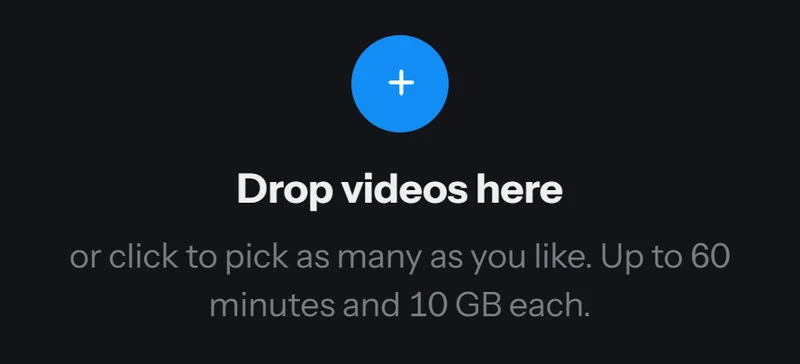
    Batch upload drop area: Drop videos here, or click to pick as many as you like, up to 60 minutes and 10 GB each
    Batch upload
  2. 2

    Check the red markers

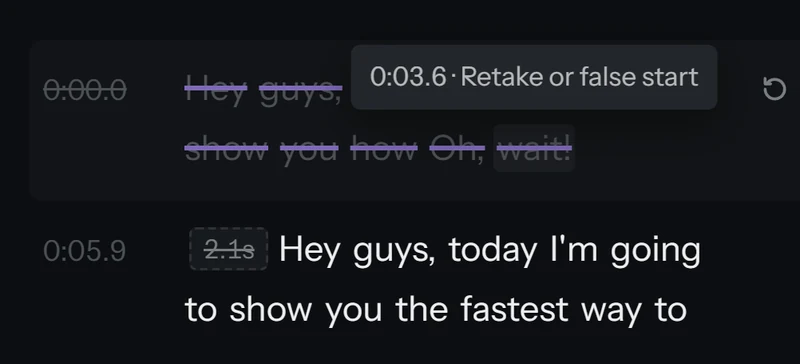
    Every cut shows why it was made. Tap one to hear it, restore it or keep a different take.

    Transcript with a struck out retake and a tooltip that reads Retake or false start, next to a restore button
    Cut reasons
  3. 3

    Export and post

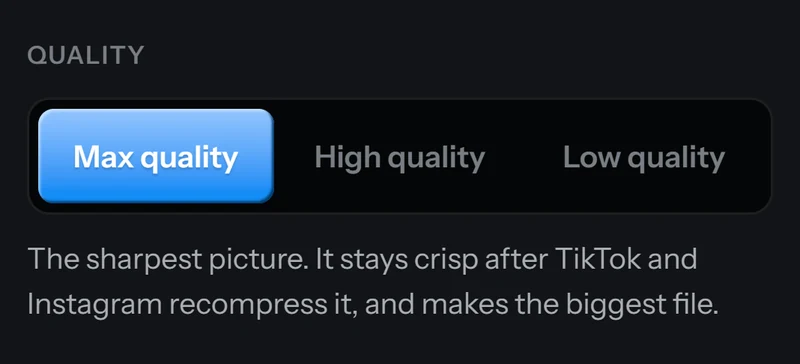
    Same resolution, frame rate and HDR you filmed. Open TikTok's uploader right after export, or send the edit to Premiere or Resolve.

    Export quality switch with Max quality picked, next to High quality and Low quality, over the line: The sharpest picture. It stays crisp after TikTok and Instagram recompress it, and makes the biggest file.
    Export

One hub

Everything between the take and the post.

Cutting, finishing, research and scripting in one app.

Auto cut that never glitches

Hardpost reads every word, finds the dead air, the ums, the stutters and the takes you abandoned, and cuts them on the exact frame. Audio is trimmed at the same spot, so it can't slide off your lips.

  • Frame accurate sync, checked on every export
  • No quality loss: your resolution, frame rate and HDR
  • Keeps your best take when you said a line twice
  • Red markers with the reason; restore any cut
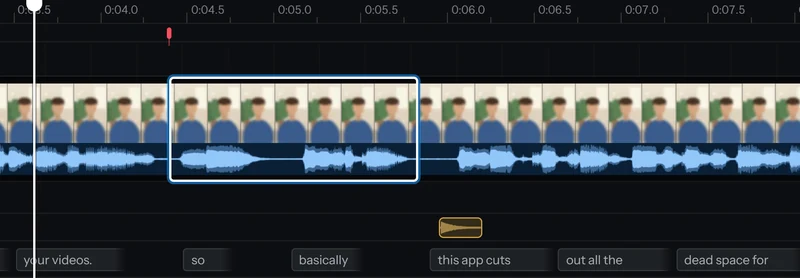
  • Select tool: click a section between cuts, then drag its edges to trim or restore whole words
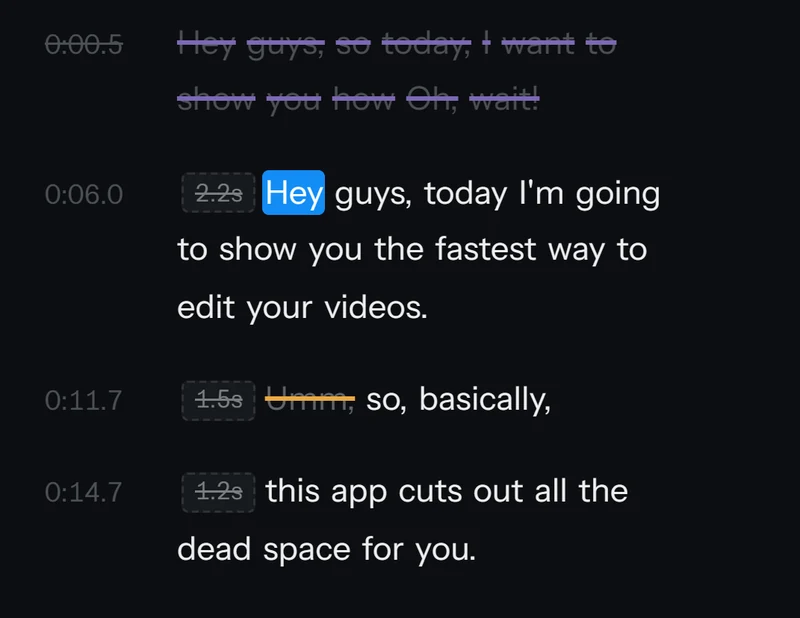
Transcript where a false start and the filler Umm are struck through, with chips showing 2.2, 1.5 and 1.2 seconds removed
Transcript
Select tool on the timeline: one section between two cuts outlined with a bright edge bracket, ready to trim
Select tool

Captions your way, or not at all

Captions start off, so nothing lands on your video that you didn't ask for. Turn them on and style every detail, then save the look and use it on every video after.

  • 37 fonts, any colors, outline, shadow or a box behind the words
  • Caption animations that bring the words in
  • Saved styles: set your look once, reuse it in one click
  • Drag captions anywhere; fix a brand name once
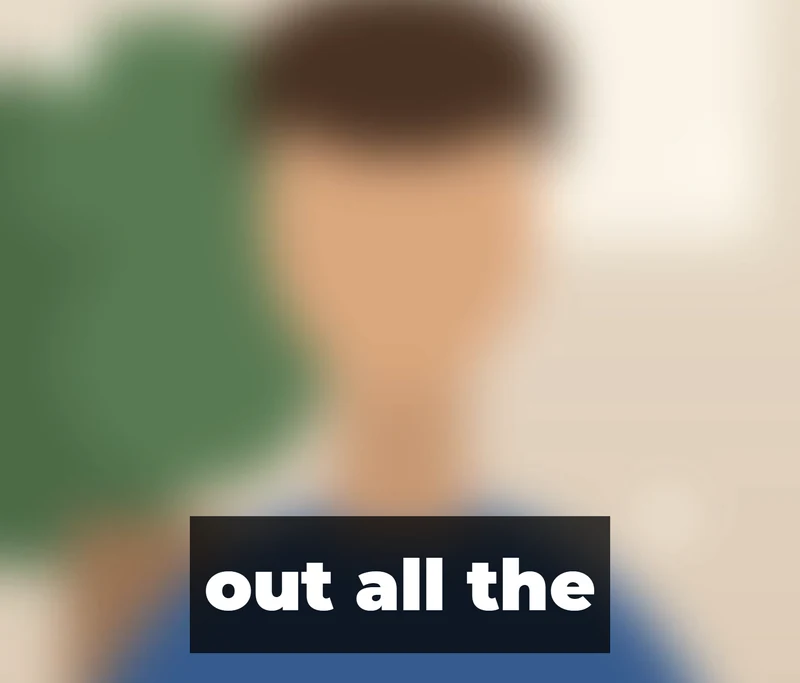
Caption out all the in white text on a black box over a video frame
Box style
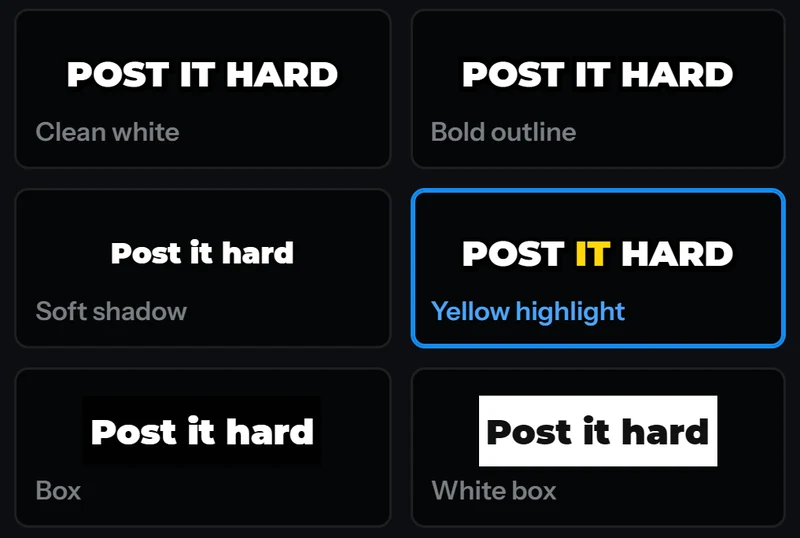
Caption looks gallery with Clean white, Bold outline, Soft shadow, Yellow highlight, Box and White box tiles, each reading Post it hard
Caption looks

Sound effects, safe zones and split screen, then post

Drag sound effects from the library onto the timeline. Check what TikTok's buttons will cover, or switch to the Trybe safe zone for Meta partnership ads. Show two people at once with split screen. When the export finishes, TikTok's uploader is one click away.

  • 80 sound effects, all ours or public domain (CC0), free to use in ads
  • TikTok safe zone, plus a Trybe safe zone for partnership ads
  • Split screen for two person videos
  • Open TikTok's uploader right after export, or share from your phone in one tap
  • Loudness set for TikTok, plus noise removal when your room needs it
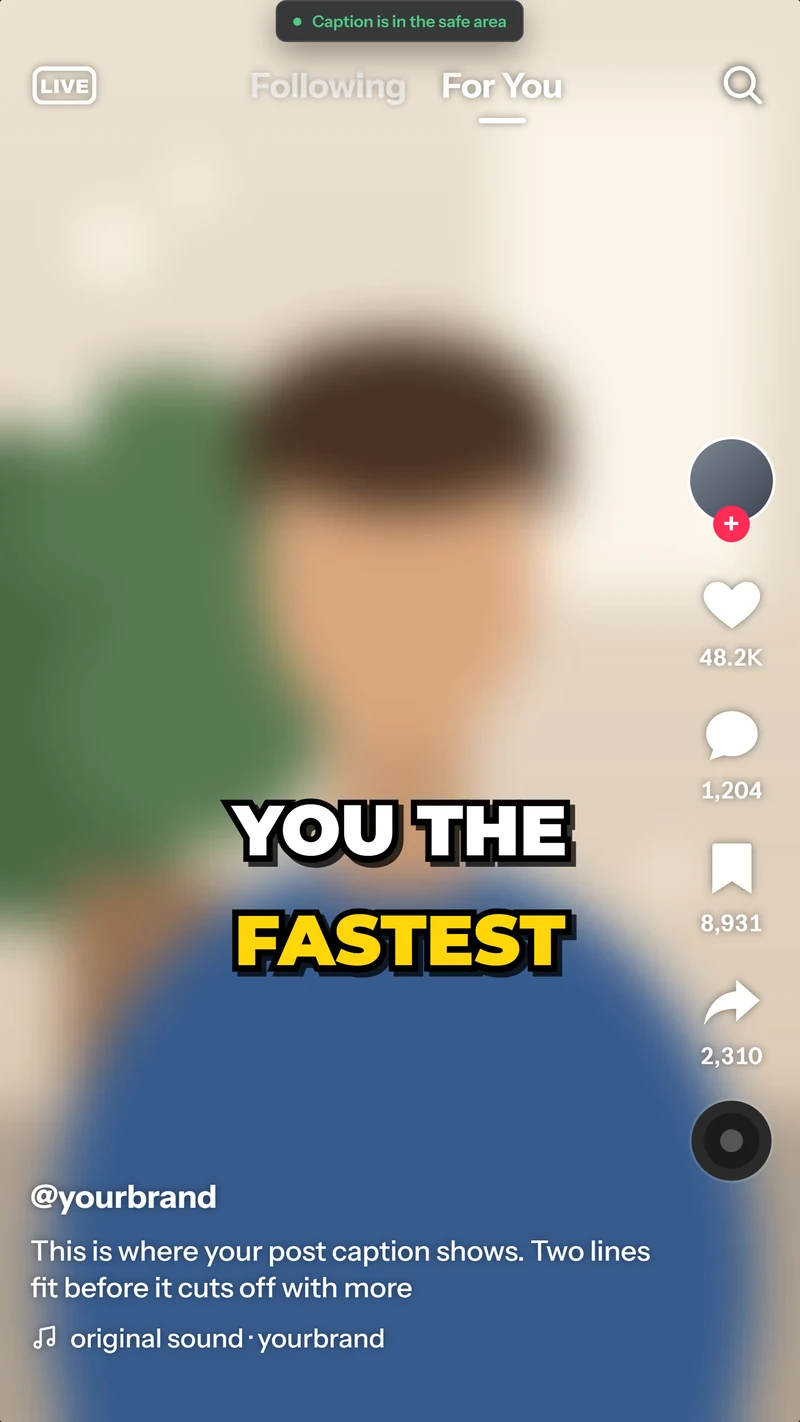
TikTok safe zone overlay on a vertical frame, showing where the like buttons, username and post caption land, with the caption inside the safe area
TikTok safe zone
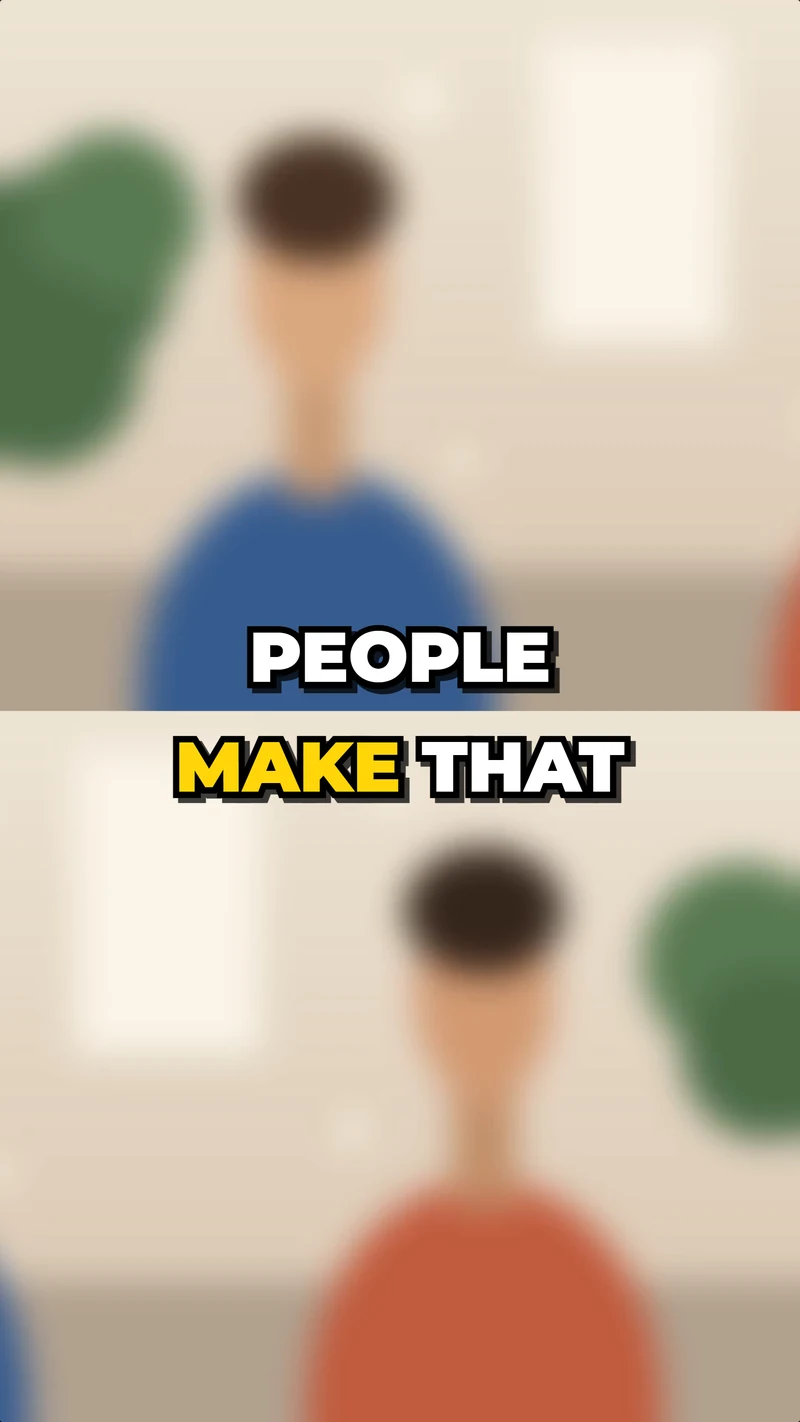
Split screen result with two people stacked, one on top and one below, and a caption across the middle
Split screen
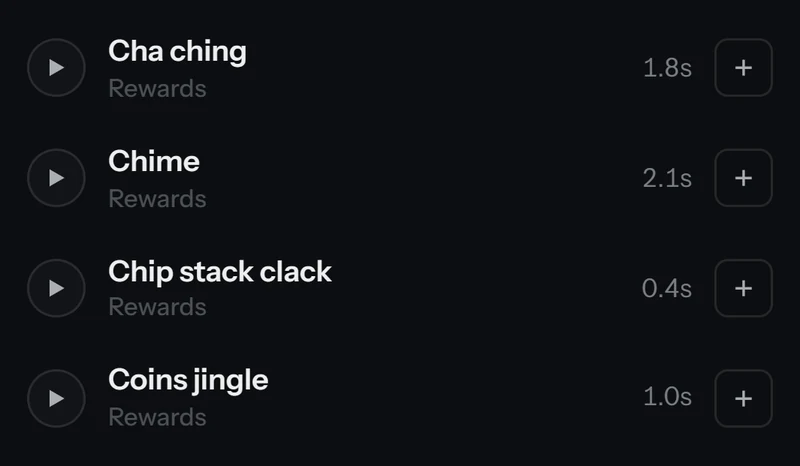
Sound effects list with Cha ching, Chime, Chip stack clack and Coins jingle, each with a play and add button
Sound effects

Batch upload with auto export

Drop a week of takes and walk away. Every clip keeps its place in line, shows its own progress and exports itself when it's done. A failed edit retries once, and the queue picks up where it left off after a restart.

  • Export all and save all in one click
  • Time estimates that learn your machine
  • Failed or cancelled exports never count
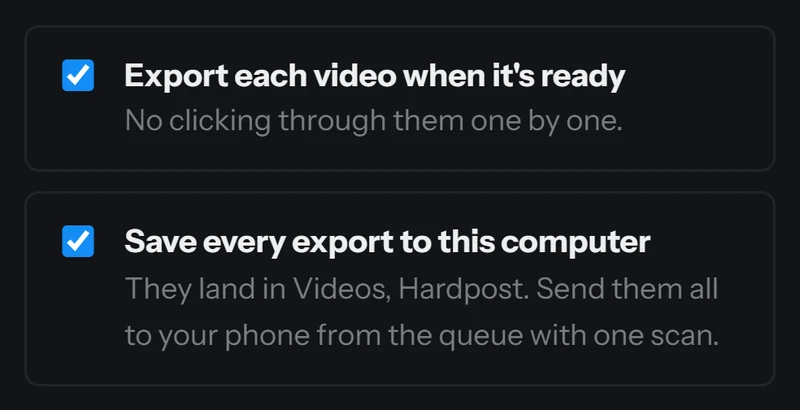
Batch options, both ticked: Export each video when it's ready, and Save every export to this computer. They land in Videos, Hardpost, and you can send them all to your phone from the queue with one scan.
Batch options

Voiceover and B roll, no face needed

Record a voiceover right in the editor with a live level meter, with noise removal when your room needs it. Add your own B roll clips on their own track over the take: your voice keeps playing underneath, and each clip moves with the words it covers when you recut.

  • Voiceover recording with a live level meter
  • Noise removal for the voiceover, one tap away
  • Your own B roll clips on their own track, with snap and slip
Animated example of the editor: a voiceover records onto the voice track, a B roll clip is added on its own track over the video, and a cut removes a section so the clips close the gap.

Better hooks, and more videos from every take

Generate scored hooks for your product, rate the lines you write yourself, then film several hooks in one take and get a finished video for each one.

  • Save up to 300 hooks in My hooks, sorted into labels like Skincare or Winners
  • Search them, mark the ones you used, mark your winners
  • Your winners teach Generate how you talk

Generate

Enter your product, audience, problem and result, or start from your saved template details. Pick one of 11 formats and a tone. Every hook comes back scored out of 100 against our research rubric, with why it works and a Shop check. Lines that break a hard Shop rule never make the list.

Example: Generate with product Glow serum, audience Dry skin, format POV and tone Honest returns a hook scored 86 out of 100, with why it works and a clean Shop check.

Fresh writes use your plan's daily writes: 3 on Free, 30 on Creator, 100 on Pro and 300 on Studio. With none left, hooks come from our library of 78 researched hooks across 14 types.

Custom hooks

Write your own line and see its score, why it got that score, and 3 better versions. Save the one you like to My hooks.

Example: a custom hook scores 31 with the reason, followed by three better versions scored 84, 81 and 77, each with a Save button.

Hook stacking

Film several hooks back to back, then the body once, then your call to action, all in one take. Hardpost suggests where to split from repeated openings, pauses, your spoken call to action and your template script. Adjust it in the transcript, then Export all.

  • One video per hook: the hook, the body and the call to action
  • Named for you and sync checked, up to 10 hooks a take
  • Film the hooks first. Footage stays in the order you filmed it.
  • Each version counts as one video on your plan

Example: one take named serum take holds Hook 1, Hook 2, Hook 3, the body and a call to action. Export all turns it into three videos named serum take hook 1, hook 2 and hook 3, each with the body and call to action, each sync checked.

Proven templates and the Shop rules check

Start from a proven TikTok Shop template with the beats, shot list and edit style set. Before you post, the Shop check flags the phrases that get videos pulled.

Shop check 3 phrases to fix before you post
  1. 0:04.2

    This serum cleared my acne in three days.

    Medical claim
  2. 0:11.8

    Only today, grab it before it's gone.

    Fake urgency
  3. 0:19.5

    The discount is at the link in my bio.

    Sends buyers off TikTok. Point at the orange cart instead.

It checks your words, not the picture. You still decide what to post.

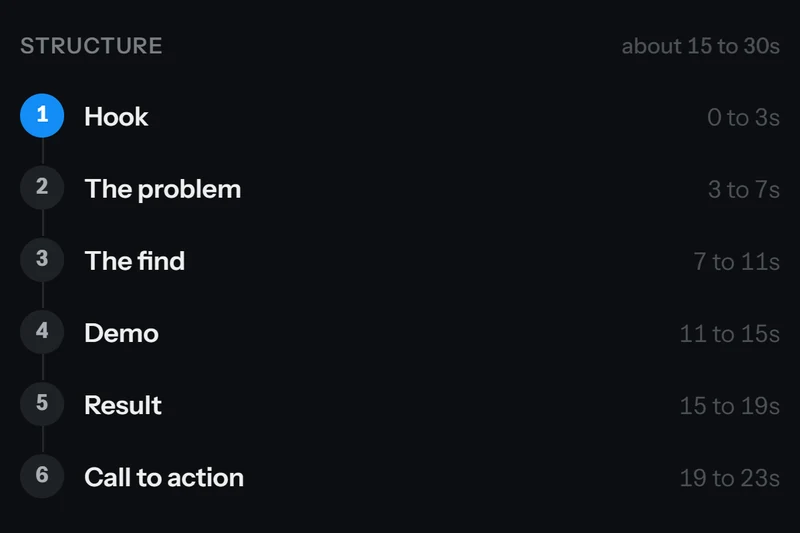
Template structure in six beats: Hook, The problem, The find, Demo, Result and Call to action, each with its timing
Template structure

Included on every plan

Every plan gets the full editor at full quality. Paid plans add more videos, the full Daily trends board, bigger batch uploads and more AI help.

  • Auto cuts, frame accurate
  • Transcript editing
  • Select tool trimming
  • Captions
  • Saved caption styles
  • Your own dictionary
  • Zooms
  • Sound effects
  • Voiceover
  • TikTok and Trybe safe zones
  • AI hooks and templates: 3 a day
  • Daily trends: the top 10
  • Trending products
  • Batch upload 3 videos at a time
  • Full quality, no watermark

Paid plans add

  • More videos: 100, 300 or 1,000 a month
  • More AI a day, plus product analysis
  • The full Daily trends board
  • Batch upload 20 videos at a time, unlimited on Pro and Studio

The Hardpost community

Grow on TikTok Shop with people doing the same thing.

Our Discord is where Hardpost creators meet every week. It's free, it's new, and everyone in it is figuring out the same thing you are: how to film more, post more and sell more.

Free to join. Opens in a new tab.

  • Weekly live calls

    Every week we go live on growing on TikTok Shop: hooks, products, what is converting right now, and your questions.

  • Special guests

    Creators and sellers join the calls to walk through what is working for them.

  • Giveaways

    Giveaways for members, announced in the server first.

  • Early features

    Try new Hardpost features before anyone else and tell us what to fix.

  • Help from other creators

    Share a draft, ask about a product or a hook, and get honest feedback from people who film every day.

Compare

How Hardpost compares.

Plain silence removal is everywhere now. Here is what you get with Hardpost, next to the popular AI cutting apps.

What Hardpost does next to popular AI cutting apps. A check means it is offered, an X means it is not.
What you getHardpostCompetitors
The edit
Catches retakes, stutters and fillers in 7 languagesYesYes
Sync check on every exportYesNot offered
Learns your personal editing styleYesYes
B roll, overlays, zooms and captions built inYesYes
Hook stacking: a finished video for every hookYesNot offered
Exports the cut to Premiere or ResolveYesNot offered
Selling on TikTok Shop
Daily board of the top selling TikTok Shop videosYesNot offered
Trending productsYesNot offered
Hook generator with a TikTok Shop rule checkYesNot offered
Flags TikTok Shop rule breaks before you postYesNot offered
Plans and access
Free plan: 10 videos a month, no cardYesNot offered
PC and phone in any browser, one accountYesYes
Batch edit, and clear your drafts overnightYesYes

Based on two popular AI cutting apps, checked October 7 and 8 2026. Something out of date? Tell us and we'll fix it.

Pricing

Simple pricing. Start free.

Every plan gets the full editor and full quality exports with no watermark. Paid plans add more videos, the full Daily trends board, bigger batch uploads and more AI help.

Billing period

Pay yearly and save over a thirdPrices shown per month, billed once a year.

Free

For trying it on your own videos

$0forever

No card needed.

Start free
  • 10 videos a month
  • The full editor: auto cuts, Select tool, captions, zooms, sound effects, voiceover and safe zones
  • AI hooks and templates: 3 a day
  • Daily trends: the top 10
  • Batch upload 3 videos at a time

Creator

For creators posting every day

$19$12.42/mo

Billed monthly.$149 billed yearly, you save $79

Or $149 a year and save $79.Instead of $228 paid monthly.

Get Creator
  • 100 videos a month
  • AI hooks, templates and product analysis: 30 a day
  • The full Daily trends board
  • Batch upload 20 videos at a time
  • Everything in Free

Pro

For sellers, UGC pros and media buyers

$39$24.92/mo

Billed monthly.$299 billed yearly, you save $169

Or $299 a year and save $169.Instead of $468 paid monthly.

Try Pro free for 7 days
  • 300 videos a month
  • AI hooks, templates and product analysis: 100 a day
  • Unlimited batch upload
  • Everything in Creator

New accounts start with 7 days of Pro

Studio

For agencies and high volume sellers

$79$49.92/mo

Billed monthly.$599 billed yearly, you save $349

Or $599 a year and save $349.Instead of $948 paid monthly.

Get Studio
  • 1,000 videos a month
  • AI hooks, templates and product analysis: 300 a day
  • Unlimited batch upload
  • Everything in Pro

Cancel anytime in two clicks. You keep your plan until the period you paid for ends.

How the free trial works

  1. Today

    You sign up. Pro unlocks for 7 days, no card needed.

  2. Day 5

    A reminder lands: your trial ends in 2 days.

  3. Day 7

    Keep Pro, pick another plan, or stay on Free. Nothing is charged without your OK.

FAQ

Questions, answered.

Something else? Ask in the community Discord, use Help and feedback inside the app, or email support@hardpost.com. A person answers.

Is there a free plan and a free trial?

Yes to both. Every new account gets 7 days of Pro free, no card needed, with up to 25 videos and 20 AI writes a day, and a reminder 2 days before it ends. Then you move to Free, 10 videos a month with the full editor and no watermark, unless you pick a plan.

Which plan should I pick?

Free is for trying it on your own videos. Creator is $19 a month for 100 videos, about 3 a day, which covers most solo creators. Pro is $39 for 300, about 10 a day, for sellers posting many times a day. Studio is $79 for 1,000 for agencies and high volume sellers. Pay yearly and save over a third.

What counts as one video?

One upload you export counts once, whatever its length, up to 60 minutes and 10 GB. Re exports are free and failed exports never count, and neither do previews, recuts or caption edits.

Can I cancel?

Cancel anytime in two clicks. You keep your plan until the end of the period you paid for. Payments aren't refundable, except where the law requires it. The 7 day Pro trial needs no card, so there's nothing to cancel, and yearly plans get a reminder 15 days before they renew. Refund policy

Will my audio drift or my quality drop?

No. Every cut lands on a frame with the audio cut at the same spot, and Hardpost checks the sync after each export. Your export keeps the resolution, frame rate and HDR you filmed, and your original file is never changed.

Are captions added automatically?

No, captions start off. Turn them on, style the font, colors, outline, box and animation, then save the look and reuse it in one click.

Is my footage private?

Your videos are private to your account and never sold. Raw videos delete 24 hours after your last export (3 days if you never export) and exports after 3 days, so download what you want to keep. Deleting the files doesn't erase your learned style: Hardpost learns from what you keep and cut, not from the files. Two switches in Settings, Privacy, both on until you turn them off: Learn my style teaches Hardpost your fixes and only changes your own edits, and Help improve Hardpost for everyone keeps which cuts were kept or undone, timing and transcripts with names and contact details removed. We never use your face or voice to make content or train a model that imitates you. Privacy policy

Where do the Daily trends come from?

From daily sales estimates by an independent analytics provider, refreshed every 24 hours, with a short read on why each top video converted. The estimates are modelled from public TikTok data, so real sales can differ. Hardpost is not affiliated with or endorsed by TikTok. Free shows today's top 10; paid plans see the full board.

Your next video, cut before your coffee cools.

Drop in your messiest take and see the clean edit in minutes. Upgrade only when you post more.

7 days of Pro free, then 10 free videos a month. No card needed.